release:
How to Sign Forms on Your iPhone the Easy Way

Signing forms on your iPhone has never been easier. With just a few taps, you can complete contracts, approvals, and important documents without printing, scanning, or mailing. Whether you prefer a hand-drawn signature, a typed version, or a traditional hanko, modern tools make mobile signing fast, secure, and convenient for both individuals and businesses. SignTime lets you sign documents directly on your iPhone through email links or in person on a shared device, making it simple to stay productive on the go.
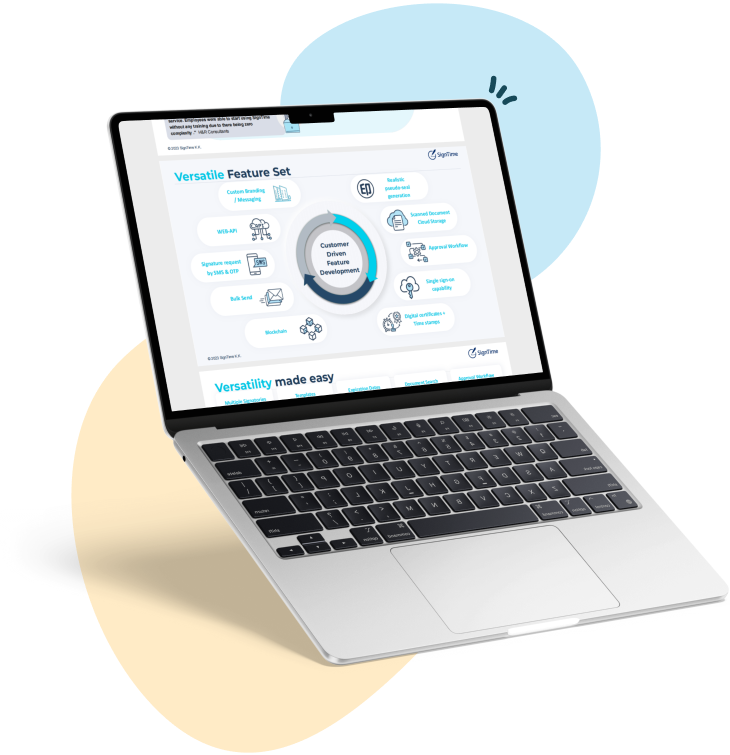
See why businesses are rushing to SignTime’s feature-packed contract repository system.
How to sign forms on your iPhone the easy way
Signing forms on your iPhone has never been easier. With just a few taps, you can complete contracts, approvals, and important documents without printing, scanning, or mailing. Whether you prefer a hand-drawn signature, a typed version, or a traditional hanko, modern tools make mobile signing fast, secure, and convenient for both individuals and businesses. SignTime lets you sign documents directly on your iPhone through email links or in person on a shared device, making it simple to stay productive on the go.
What are e-signatures?
E-signatures are digital versions of handwritten signatures that can be used to approve or authorize documents. They are legally recognized in most countries for contracts, forms, and official approvals. E-signatures make it possible to sign documents quickly without printing, scanning, or mailing.
Users can create e-signatures in several ways. They can draw their signature directly on a touchscreen device using a finger or stylus. Typed e-signatures allow a signature to be generated by entering a name in a signature field. Traditional stamps or hanko can also be digitized and applied to documents where accepted. Many e-signatures include metadata that tracks who signed a document, when it was signed, and whether it has been modified, adding an extra layer of security and accountability.
What are some of the ways you can e-sign documents?
There are several ways to e-sign documents on an iPhone, ranging from built-in tools to specialized apps. The simplest method is using the iPhone’s built-in Markup feature in the Files, Mail, or Photos apps, which allows users to draw or type a signature directly on a document. Third-party apps like Smallpdf, Jotform Sign, and SignNow provide additional features, including templates, in-person signing, and cloud storage for signed files. Users can also upload PDFs to web-based platforms and sign them in a browser without installing an app. For paper documents, scanning them to PDF and then adding a digital signature is another common approach. Many platforms allow users to save reusable signatures, making it faster to sign recurring documents.
Can you sign on an iPhone?
Yes, iPhones fully support signing documents digitally, making it easy for both individuals and businesses to complete forms on the go. Users can open documents from Mail, Files, Photos, or supported third-party apps and add their signatures directly on the device. Signatures can be created in multiple ways, including hand-drawn, typed, or hanko, depending on the user’s preference.
E-signing can happen remotely or in person. When signing remotely, users can receive a link via email or SMS, open the document on their iPhone, and add a signature with just a few taps. In-person signing allows a user to pass an iPhone or iPad to the signer, who can then sign directly on the device. SignTime supports both remote and in-person digital signing, providing flexibility for customers, clients, and business partners while maintaining a secure and verifiable record of every signature.
How to create and place a signature on your iPhone
Creating and placing a signature on your iPhone is simple and can be done in just a few steps. Users start by opening the document in the Files app, Mail, Photos, or a supported e-signature app. The next step is to access the signature or Markup tool, which allows them to draw, type, or select a previously saved signature.
Once the signature is created, it can be positioned anywhere on the document where a signature is required. Users can resize or adjust the signature to fit the signature field properly. After placing the signature, the signed document can be saved, shared, or uploaded to cloud storage. Some platforms also allow creating reusable signatures or using autofill features for forms that are frequently completed, which can save time and reduce errors.
What are the advantages of allowing signing using an iPhone
Allowing documents to be signed on an iPhone offers a wide range of benefits for businesses, customers, and partners. Mobile signing increases efficiency, flexibility, and security while improving the overall experience of completing forms. It also supports compliance, collaboration, and sustainability.
- Faster turnaround: Users can sign documents immediately, reducing delays in approvals and project timelines.
- Increased flexibility: Signers can complete forms anytime and anywhere without needing access to a printer or scanner.
- Better customer experience: Customers, clients, and partners enjoy a seamless and convenient signing process.
- Enhanced security: Digital signatures are tracked and encrypted, reducing the risk of unauthorized changes.
- Reduced errors: Auto-reminders and signature placement tools help ensure all fields are completed correctly.
- Lower costs: Businesses save on paper, ink, shipping, and storage expenses.
- Improved compliance: Digital audit trails document who signed and when, supporting legal and regulatory standards.
- Supports multiple signature types: Users can sign using hand-drawn, typed, or hanko formats to meet various requirements.
- Remote collaboration: Teams across different locations can review, sign, and approve documents efficiently.
- Integration with business tools: Works with Salesforce and other platforms to automate workflows and approvals.
- Streamlined approvals: Managers can review and approve documents on the go, keeping projects moving.
- Eco-friendly: Reduces paper usage and minimizes environmental impact.
- Reusable templates: Frequently signed forms can be saved as templates, saving time and improving consistency.
- Audit-ready records: Signed documents include metadata and timestamps, making compliance audits simpler.
SignTime is the easiest way to sign using your iPhone
SignTime combines all the benefits of mobile signing into one flexible and secure platform. Users can sign documents remotely by clicking a link in an email or SMS, or in person by passing an iPhone or iPad to a customer or partner. The platform supports multiple signature types, including hand-drawn, typed, and hanko, giving businesses the flexibility to meet different legal or cultural requirements.
SignTime also integrates with Salesforce and other business tools, helping teams automate workflows, track approvals, and stay organized. AI-powered features identify counterparties, contract amounts, start and end dates, and auto-renewals, while reminders prompt users for action when needed. These features ensure that signing on an iPhone is not only fast and convenient but also secure, compliant, and fully traceable. Choosing SignTime lets businesses, customers, and partners complete their documents efficiently while maintaining confidence in every signature.
Download our brochure to see whether SignTime might be a fit for your organization.