release:
20 top document management software with e-signature capabilities

Document management software with built-in e-signature capabilities helps businesses organize, secure, and streamline their document workflows while enabling fast and legally compliant signing. From storing contracts and invoices to managing approvals and internal documents, these tools save time, reduce errors, and support collaboration across teams. Companies of all sizes use document management systems to keep information centralized, improve compliance, and accelerate business processes. In this article, we explore the top 20 solutions on the market, highlight their key features, and show how e-signature integration adds real value.
See why businesses are rushing to SignTime’s feature-packed contract repository system.
What is document management software?
Document management software (DMS) is a digital system that helps businesses store, organize, and retrieve documents efficiently. It replaces paper-based filing systems and allows teams to access documents securely from anywhere. A good DMS provides features such as version control, search capabilities, and user permissions to ensure that the right people can access the right information.
Many DMS platforms also integrate e-signature capabilities, allowing users to sign documents electronically without leaving the system. This feature is critical for contracts, approvals, and agreements, as it speeds up workflows and reduces the need for printing or scanning. Electronic signatures also provide a secure audit trail, helping companies track who signed what and when.
Modern document management software often includes cloud storage, automation, and AI tools that assist with organizing documents, setting reminders, and identifying key contract terms. By combining storage, workflow, and signing functionality, a DMS becomes a central hub for managing business-critical documents.
Why do companies use document management software?
Companies use document management software to streamline operations, reduce errors, and improve collaboration across teams. By centralizing documents in one digital location, employees can quickly find the files they need without sifting through paper or scattered folders. This improves efficiency and helps businesses meet deadlines more consistently.
A DMS also helps companies maintain compliance with legal and regulatory requirements. Many industries require strict records management, version tracking, and audit trails, which a digital system can provide automatically. Security features such as access controls and encryption further protect sensitive information.
Another reason businesses adopt document management software is to enable remote and hybrid work. Employees can access documents from anywhere, collaborate in real time, and complete approvals and signatures electronically. This flexibility accelerates workflows and allows companies to respond faster to client and internal needs.
What are the different types of document management software?
Document management software comes in several types to meet different business needs. Cloud-based systems store documents on remote servers, allowing employees to access files from anywhere with an internet connection. These systems are often scalable, easy to update, and suitable for businesses of all sizes.
On-premises systems store documents locally on a company’s servers. This setup gives organizations more control over security and customization, but it can require more IT resources and maintenance. Some businesses choose hybrid systems that combine cloud access with on-premises storage for flexibility and added security.
In addition to deployment types, document management software can be specialized or general-purpose. Specialized systems may focus on industries like legal, healthcare, or finance, providing features tailored to compliance and workflow requirements. General-purpose systems serve multiple departments and use cases, offering broader functionality and integrations with other business tools.
What are the benefits of document management software for businesses?
Document management software offers significant advantages for businesses of all sizes. It centralizes documents, improves collaboration, and ensures that critical information is secure and easy to access. By combining storage, workflow, and e-signature features, companies can accelerate processes and reduce errors.
Using a DMS also helps companies maintain compliance with legal, regulatory, and internal requirements. Automatic version tracking, audit trails, and access controls make it easier to meet standards and demonstrate accountability. Additionally, many systems provide reporting and analytics features that give insights into document usage and workflow efficiency.
Beyond efficiency and compliance, document management software supports growth and flexibility. Cloud-based access, remote collaboration, and AI-powered organization tools allow teams to work from anywhere and scale operations without losing control over document processes.
Here are some notable benefits of using document management software with built-in e-signature functionality for businesses:
- Centralized storage: All documents are stored in one location, making retrieval faster and easier.
- Enhanced security: Access controls and encryption protect sensitive data from unauthorized users.
- Improved collaboration: Multiple team members can work on the same document simultaneously without version conflicts.
- Regulatory compliance: Software helps businesses meet industry standards and legal requirements.
- Time savings: Automation reduces the need for manual document handling and repetitive tasks.
- Cost reduction: Digital storage and reduced paper usage lower operational expenses.
- Workflow automation: Standard processes like approvals, reviews, and notifications are automated.
- Audit trails: Every action is logged, making it easy to track changes and access history.
- Remote access: Employees can securely access documents from anywhere.
- Version control: Maintains the most current version of a document while storing prior versions.
- E-signature integration: Documents can be signed electronically, speeding up contract processes.
- Search functionality: Advanced search features make finding documents fast and efficient.
What should companies look for in a document management software system?
When selecting a document management system, businesses should prioritize ease of use. A platform with an intuitive interface reduces training time and ensures employees adopt it quickly. Clear navigation, organized dashboards, and simple document upload and retrieval features make daily operations smoother.
Integration capabilities are also critical. A DMS should work seamlessly with existing tools such as CRM systems, email platforms, and project management software. AI features, automated reminders, and workflow triggers can further enhance efficiency by reducing manual tasks and identifying key contract terms.
Security, scalability, and mobile access are additional factors to consider. Businesses need secure storage and access controls to protect sensitive information. The system should grow with the company, handling increasing volumes of documents without slowing down. Mobile and remote access ensures employees can work effectively from any location.
What departments use document management software?
Document management software is used across nearly every department in a business to improve efficiency, collaboration, and compliance. Each department can leverage the system to store, share, and sign documents while maintaining secure access and version control. The flexibility of modern DMS platforms allows teams to customize workflows and integrate e-signatures where needed.
Sales teams use document management software to manage contracts, proposals, and agreements efficiently. They can track document status, automate follow-ups, and ensure that signed agreements are securely stored. This reduces errors and speeds up deal closure.
Marketing departments store creative assets, campaign documentation, and approval records in a centralized system. Teams can collaborate on content, track revisions, and ensure brand consistency across all materials.
Human Resources uses a DMS for employee records, onboarding documents, and compliance files. Centralized access ensures sensitive information is secure while enabling HR staff to manage workflows efficiently.
Legal teams rely on document management software to handle contracts, NDAs, and regulatory documents. Built-in version control and audit trails support compliance and reduce risk.
Finance departments manage invoices, purchase orders, and expense reports securely. Automated workflows and e-signature capabilities simplify approvals and financial document handling.
IT teams use a DMS to centralize policies, manuals, and technical documentation. This ensures that internal teams have consistent access to the latest information.
Operations teams store standard operating procedures, process documents, and internal guidelines. Centralized storage and workflow management improve consistency and efficiency.
Customer support teams organize knowledge bases, service contracts, and client communications. This allows quick access to information needed for resolving client issues and maintaining service quality.
20 document management software that have built-in e-signature capabilities
Many businesses need a solution that combines document management with electronic signing. Integrating e-signatures directly into a DMS accelerates workflows, reduces errors, and ensures secure, compliant approvals. These systems allow teams to manage documents from creation to signing without leaving the platform.
The following 20 software options provide both document management and built-in e-signature features:
- SignTime
- CloudSign
- GMO Sign
- DocuSign
- Adobe Sign
- PandaDoc
- Nitro Sign
- Zoho Sign
- SignNow
- HelloSign/Dropbox Sign
- OneSpan Sign
- eSignLive
- Formstack Sign
- DocuWare
- M-Files
- Proposify
- GetAccept
- Templafy
- BlueInk
- DocHub
SignTime
SignTime is a versatile document management and e-signature platform designed to streamline workflows for businesses of all sizes. It offers multiple signature options, including hand-drawn, typed, hanko, and in-person signatures, allowing users to choose the method that best fits their needs. The platform integrates seamlessly with Salesforce and provides AI-powered tools that automatically identify counterparties, amounts, start and end dates, and upcoming contract renewals.
SignTime also allows companies to centralize document storage, manage approvals, and set automated reminders, reducing the risk of missed deadlines. Its long-term e-signature capabilities and approval system make it suitable for industries that require robust compliance and record-keeping. The platform balances advanced features with simplicity, making it an efficient choice for organizations seeking an integrated solution without unnecessary complexity.
CloudSign
CloudSign is a cloud-based document management and e-signature platform widely used in businesses that need secure, remote access to documents. It supports digital signing, automated workflows, and centralized storage, helping teams maintain efficient document processes.
The platform is particularly useful for organizations that operate across multiple locations or require collaboration between departments. CloudSign ensures that all documents are easily searchable, securely stored, and accessible to authorized users.
GMO Sign
GMO Sign is an electronic signature and document management solution designed to simplify contract handling and approval processes. It supports various digital signing methods and provides secure storage and version tracking for all documents.
The platform integrates with other business tools to streamline workflows and reduce the administrative burden associated with managing paper-based documents. GMO Sign is especially useful for companies that need reliable compliance and audit capabilities.
DocuSign
DocuSign is one of the most widely recognized e-signature solutions, offering robust document management features alongside electronic signing. It supports a variety of document types and provides secure cloud storage for easy access.
The platform includes workflow automation, notifications, and integrations with popular business applications, helping teams manage contracts and approvals efficiently. Its audit trails and compliance features make it suitable for regulated industries.
Adobe Sign
Adobe Sign integrates electronic signatures with document management, enabling users to prepare, send, and store documents in a secure environment. The platform supports automated workflows and cloud storage, improving efficiency for teams of all sizes.
Adobe Sign is part of Adobe’s suite of productivity tools, allowing seamless integration with other applications like Acrobat and Microsoft Office. Its strong security and compliance features ensure that signed documents meet regulatory requirements.
PandaDoc
PandaDoc combines document management, e-signatures, and workflow automation in a single platform. It helps businesses create, send, and track documents such as contracts, proposals, and invoices.
The platform supports collaboration between team members and provides analytics on document performance. Its integrations with CRMs and other business tools streamline workflows and reduce administrative overhead.
Nitro Sign
Nitro Sign provides e-signature capabilities alongside document management and PDF editing tools. It allows users to sign, store, and share documents securely in the cloud.
The platform includes features for workflow automation and tracking, making it easier for teams to manage approvals and maintain organized document repositories. Nitro Sign is designed for simplicity while offering essential compliance and security features.
Zoho Sign
Zoho Sign is part of the Zoho ecosystem, providing e-signature and document management functionality for businesses. Users can upload, sign, and store documents securely while automating approval workflows.
The platform integrates with other Zoho applications and third-party software, allowing seamless collaboration across departments. Zoho Sign emphasizes secure signing and reliable record-keeping for compliance purposes.
SignNow
SignNow is an e-signature solution that also supports document management and workflow automation. It allows users to send, sign, and store documents efficiently, while maintaining secure access controls.
The platform is suitable for teams that need simple, reliable e-signature functionality integrated with centralized document storage. Its audit trails and versioning features help ensure compliance.
HelloSign/Dropbox Sign
HelloSign, also known as Dropbox Sign, integrates e-signature capabilities with document management tools. It allows users to sign documents electronically, manage storage, and collaborate across teams.
The platform is designed for ease of use and supports workflow automation and cloud storage. Integration with Dropbox and other business applications enhances productivity for organizations of all sizes.
OneSpan Sign
OneSpan Sign is a secure e-signature and document management platform used by enterprises and regulated industries. It offers features such as digital signing, audit trails, and compliance reporting.
The platform integrates with business applications to streamline workflows and manage approvals efficiently. OneSpan Sign is particularly valued for its strong security and regulatory compliance capabilities.
eSignLive
eSignLive is an electronic signature and document management system designed for industries with strict compliance requirements. It provides secure signing, document storage, and workflow automation.
The platform allows companies to track signature status and maintain detailed audit trails. Its integration options support seamless collaboration and efficient document processing.
Formstack Sign
Formstack Sign combines e-signature functionality with document management to streamline contract and approval processes. Users can create, sign, and store documents securely in the cloud.
The platform supports automated reminders and workflow management, making it easier for teams to manage document-related tasks. Formstack Sign emphasizes security and compliance for business-critical documents.
DocuWare
DocuWare is a comprehensive document management system that includes electronic signature capabilities. It provides centralized storage, workflow automation, and secure access controls for businesses.
The platform supports collaboration and process automation, enabling teams to handle contracts, invoices, and internal documentation efficiently. DocuWare is suitable for organizations that require compliance tracking and version control.
M-Files
M-Files offers document management and e-signature features with a focus on metadata-driven organization. Users can store, retrieve, and track documents while automating workflows and approvals.
The platform integrates with other business applications, improving collaboration and ensuring compliance. M-Files is designed for flexibility and scalability, making it suitable for a variety of industries.
Proposify
Proposify is a proposal and document management platform that includes e-signature capabilities. It helps sales teams create, send, and track proposals efficiently.
The platform provides templates, analytics, and approval workflows to improve team productivity. E-signatures streamline the acceptance process and reduce delays in closing deals.
GetAccept
GetAccept combines document management, e-signatures, and sales enablement features. Users can manage contracts, proposals, and agreements while tracking engagement and signature status.
The platform integrates with CRMs and supports automated reminders and approvals, enhancing workflow efficiency. Its analytics help teams understand document performance and client interactions.
Templafy
Templafy is a document management system that ensures brand compliance while integrating e-signature functionality. Users can create, approve, and store documents in a centralized system.
The platform emphasizes consistency, workflow automation, and secure document handling. E-signatures are embedded in processes to speed up approvals and reduce manual steps.
BlueInk
BlueInk provides electronic signature and document management solutions focused on simplicity and compliance. Users can securely sign, store, and manage documents in the cloud.
The platform supports workflow automation, audit trails, and integration with other business tools. BlueInk is suitable for organizations looking for straightforward, secure e-signature capabilities.
DocHub
DocHub is a web-based platform that combines document management and e-signatures. Users can edit, sign, and store documents online without the need for printing.
The platform offers collaboration features and integrates with cloud storage services. DocHub is designed for ease of use while providing secure and trackable signing workflows.
SignTime is the best SaaS contract management software
SignTime combines comprehensive document management with flexible e-signature capabilities, making it an ideal solution for businesses of all sizes. Its multiple signing options, in-person capture, and AI-powered features streamline workflows and reduce administrative overhead. Users can manage approvals, track deadlines, and centralize document storage without switching between multiple platforms.
The platform’s integration with Salesforce and other business tools ensures that teams have the information they need in context. Long-term e-signature support and automated reminders help businesses maintain compliance while saving time. SignTime balances robust functionality with simplicity, allowing companies to implement a powerful solution without unnecessary complexity.
By consolidating document management, workflow automation, and secure signing into a single system, SignTime supports efficiency, accuracy, and collaboration across departments. For organizations looking to optimize contract and document processes, SignTime offers a reliable, scalable, and user-friendly platform that drives business results.
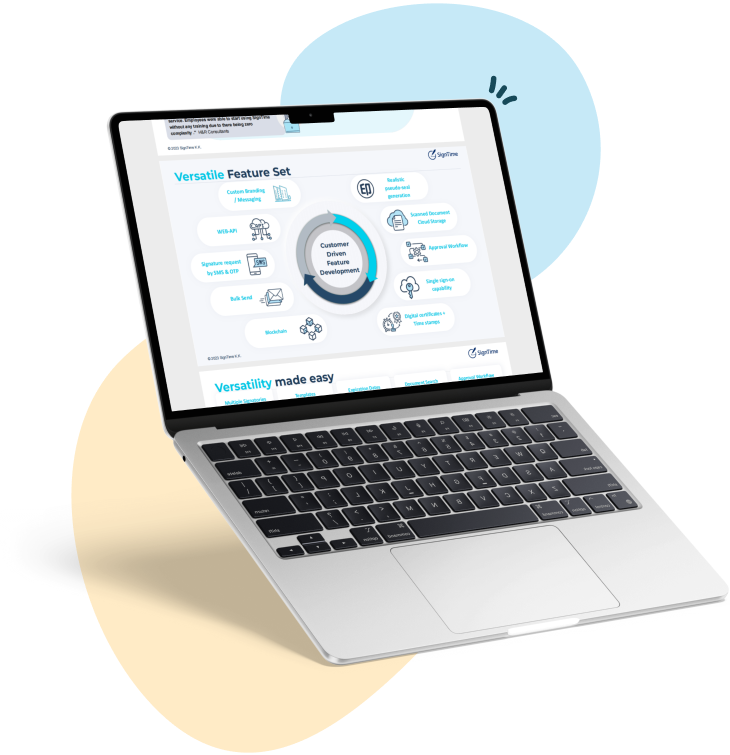
Download our brochure to see whether SignTime might be a fit for your organization.